
RepLadder for iPhone
Sneak up on a big goal.
Pick a number that sounds almost unreasonable: 100 pushups, a five-minute plank. RepLadder starts you small and raises the target a little with each workout. Do each day's reps however you can, even one at a time, and the big number gets closer every time you finish a day.
iPhone, iOS 17 or later. Designed for Liquid Glass on iOS 26 and later. No account. In private testing.
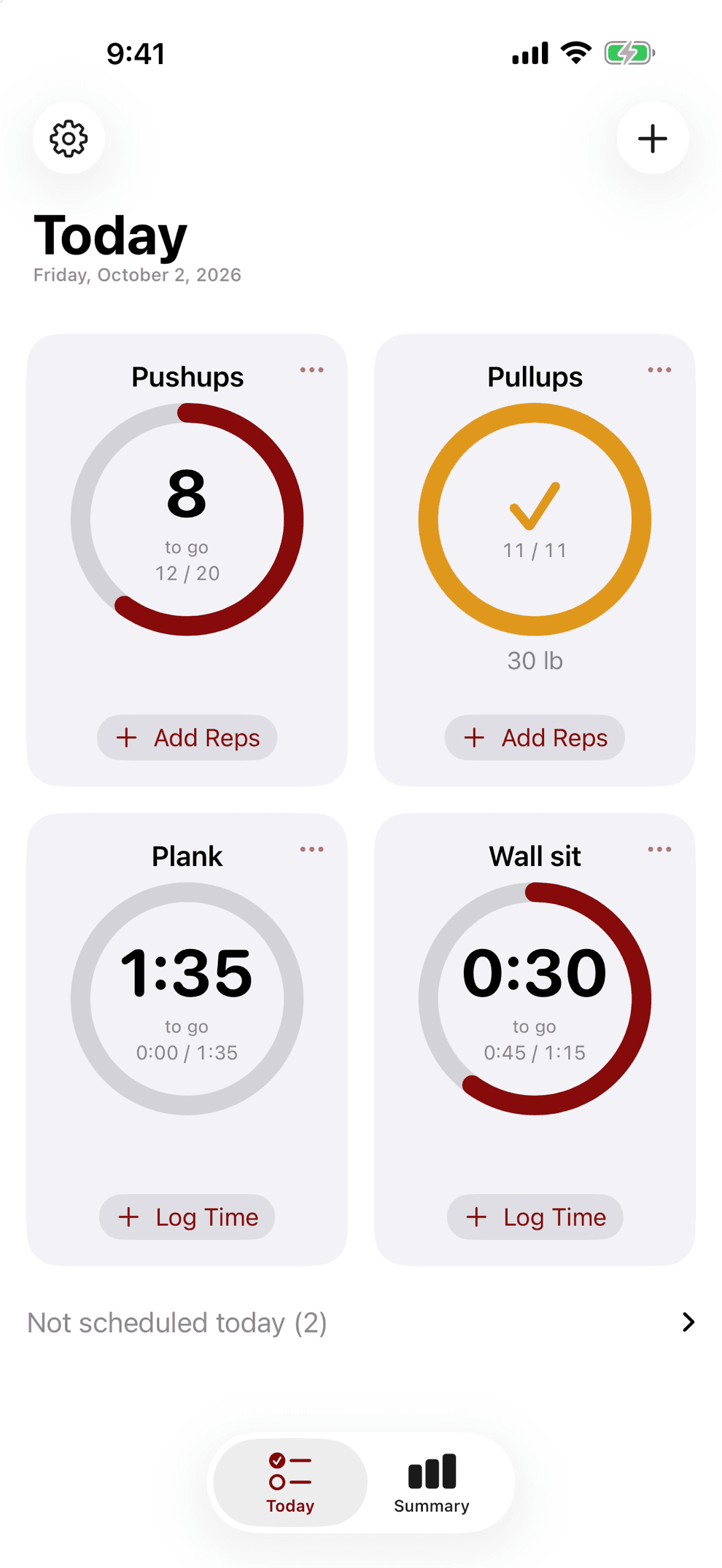
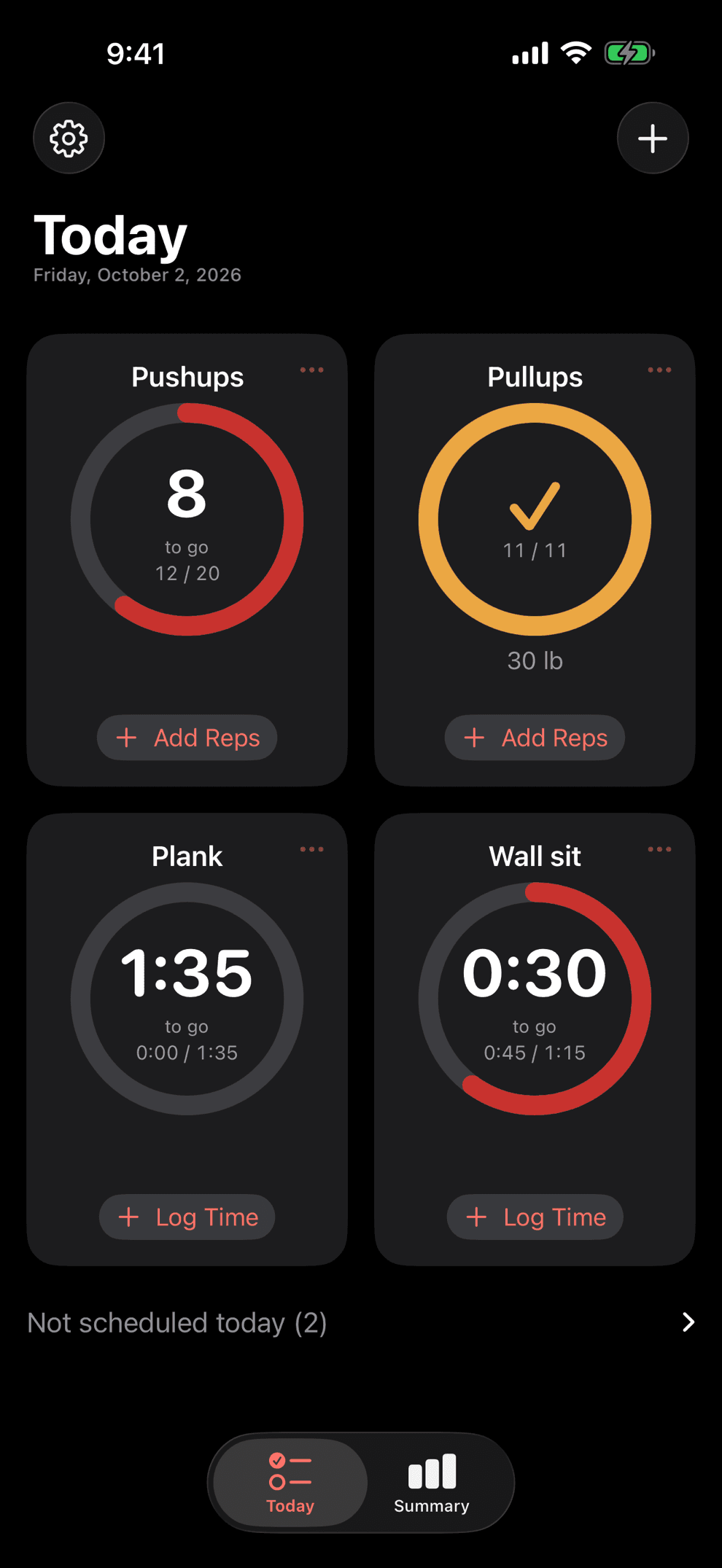
Big goals, small steps
Choose a goal that sounds unreasonable.
RepLadder breaks it into steps small enough to barely notice. Here is what a few look like.
Pushups
1 → 100
+1 every workout
100 workouts
Pullups
1 → 20
+1 every 4 workouts
77 workouts
Plank
0:30 → 5:00
+0:05 every 2 workouts
109 workouts
Wall sit
0:30 → 3:00
+0:05 every 2 workouts
61 workouts
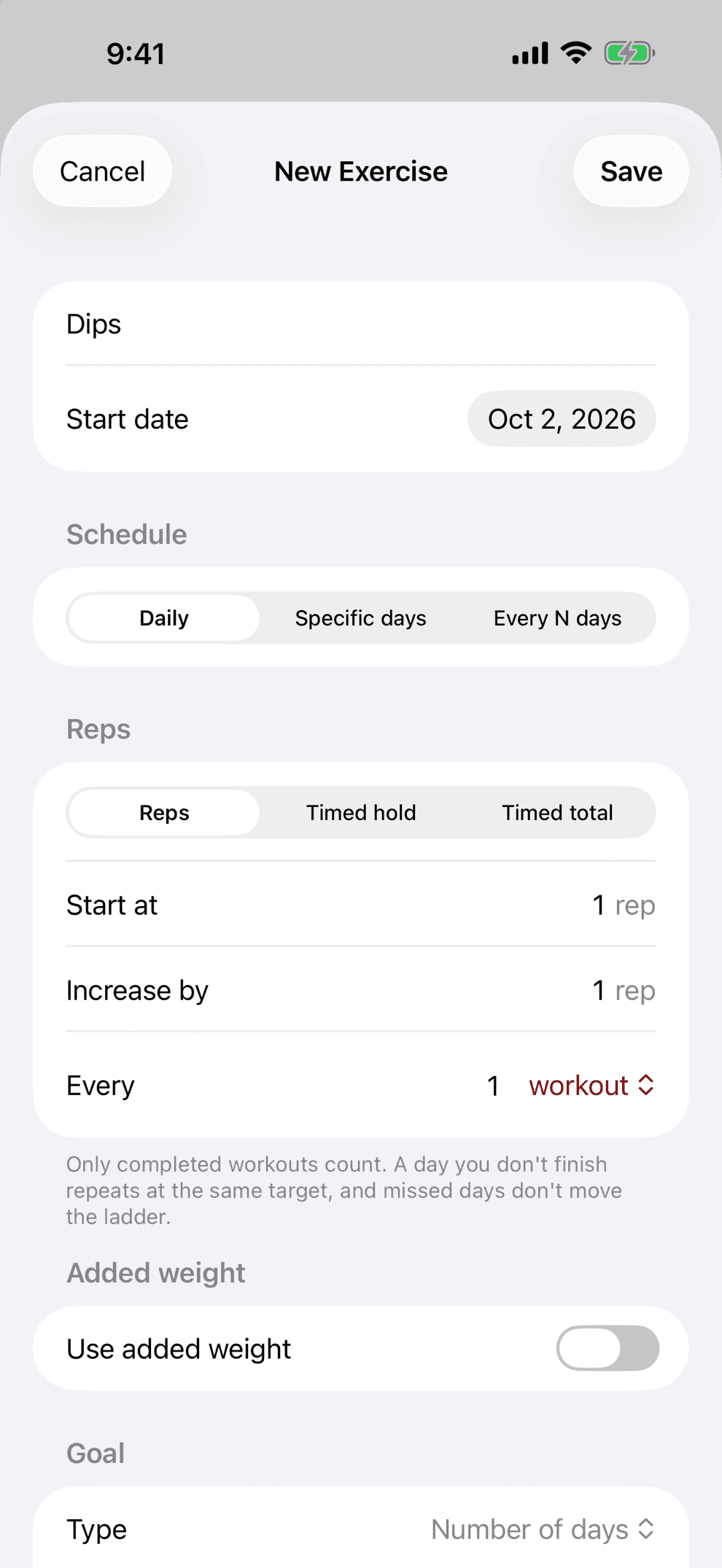
The New Exercise screen shows today's target, where you will be in four weeks, your final day, and the date you will finish if you keep every workout. Set the schedule and the step size until the goal has exactly the time it needs.
However you can
Twelve pushups? Do them one at a time if you need to.
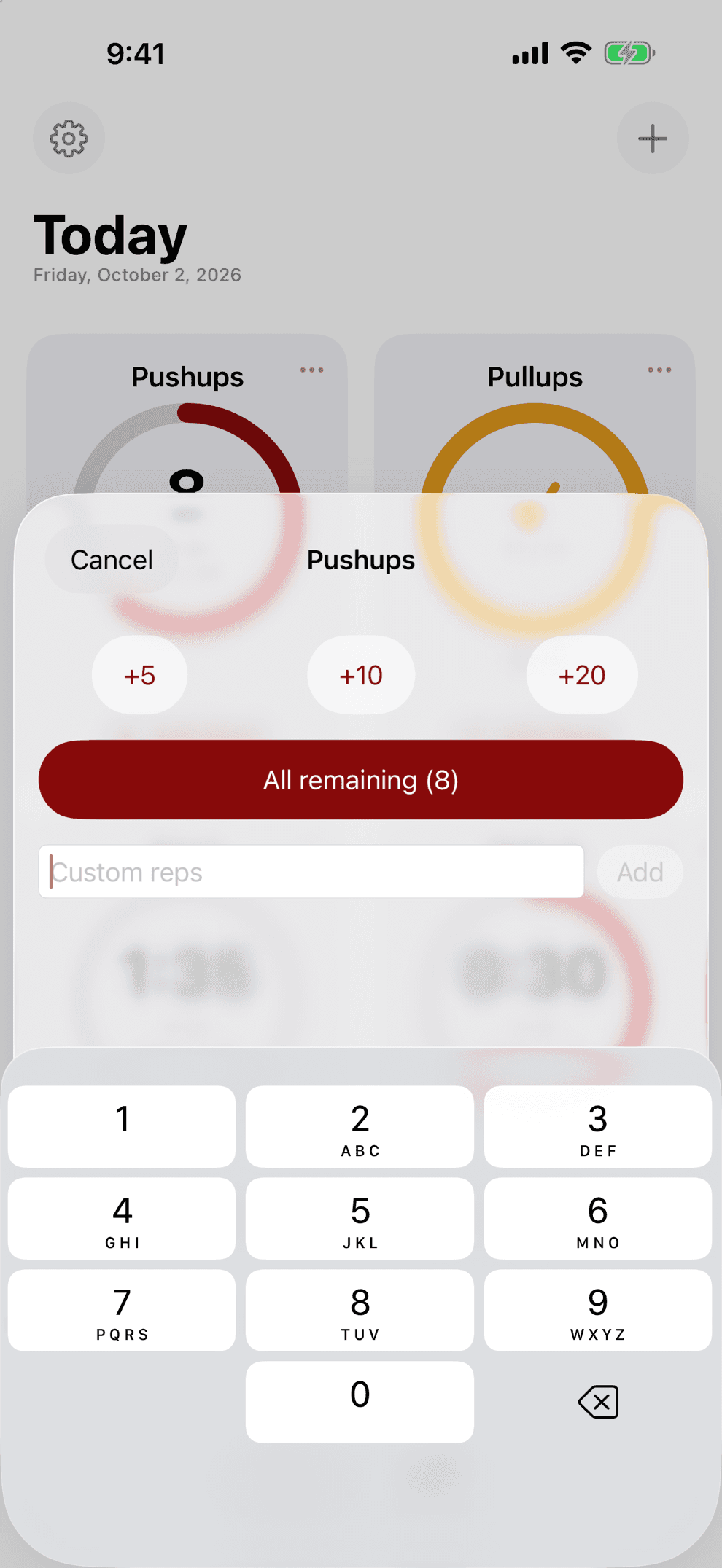
A day's target is a total. Do it in one go, or spread it out: three in the morning, four after lunch, then one, two, one and one again. Twelve is twelve.
Pushups today, target 12
Log a set of
- 3
- 4
- 1
8 of 12 so far, 4 to go.
Small sets are fine
Only two at a time, with five on today's list? Great. Do two now, two later, and one before bed. Or five singles.
Log as you go
Tap a Home Screen ring after each rep, or add a set of any size from the app. Every set adds to the day.
Any time that day
Morning, lunch break, between meetings: whatever you log that day counts toward it.
Timed totals too
An exercise set to total time works the same way. Every hold you log adds to the day.
Built for real life
Miss a day and keep your progress.
A calendar challenge keeps counting whether or not you showed up, so a bad week can leave you far behind. RepLadder climbs only when you finish a day, so every day you finish stays banked. A missed day moves your finish date back by a day and takes nothing else away. Mark days below and compare.
Tap a day to flip it between done and missed.
Calendar challenge, day 14
14 reps
RepLadder, day 14
9 reps
On day 14 the calendar asks for 14 reps. RepLadder asks for 9 reps, one step above the 8 days you finished, so every finished day still counts.
Every finished day counts
Finish an exercise on any day, scheduled or not, and the ladder climbs. The schedule decides what you see first and when reminders fire.
Nothing to make up
Fall short or skip a day and you pick up at the same target. There are no makeup reps to owe.
Change the plan any time
Edit an exercise and the new rules start today. Every day you've logged keeps the target it had.
Go bigger when you get there
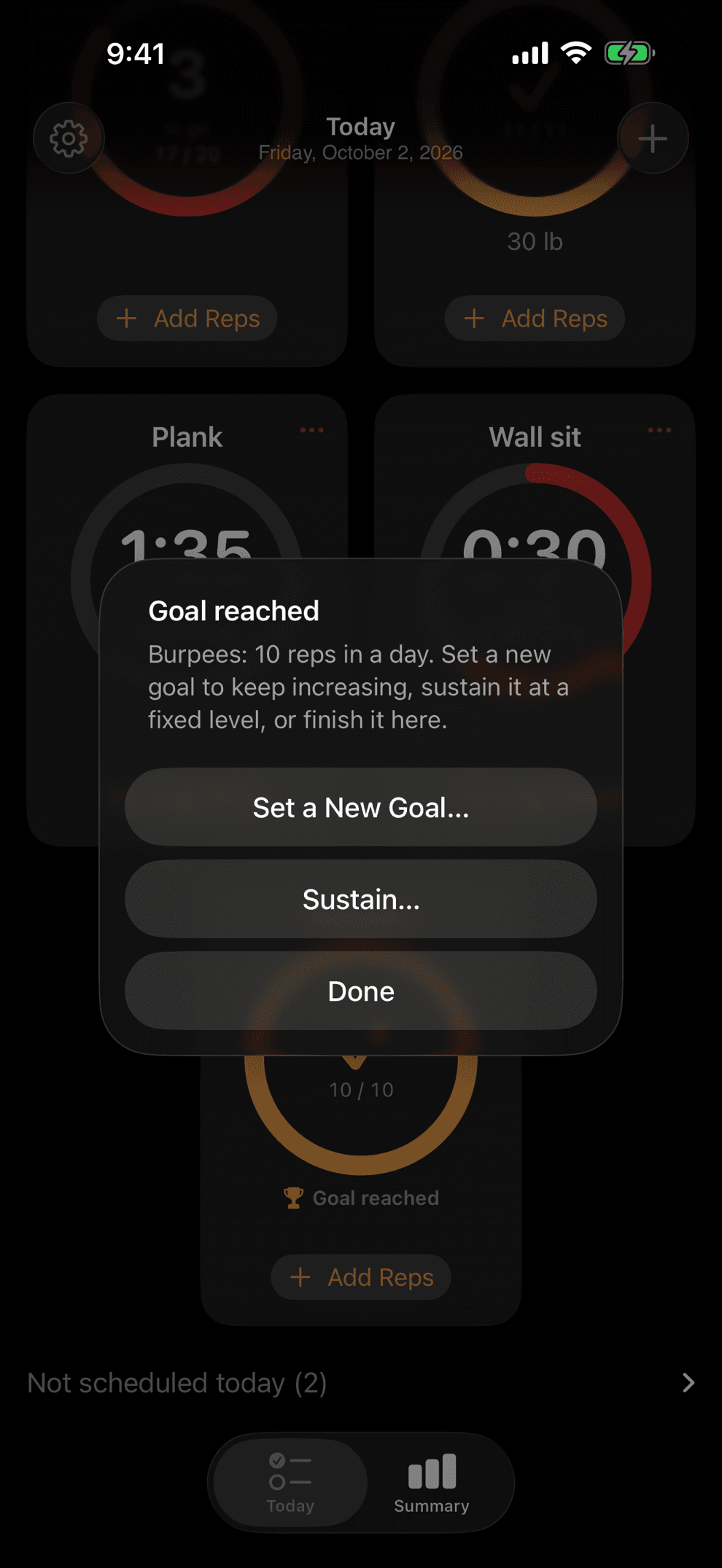
Reach your goal, then set a new one, hold your level for a while, or restart at a target you choose. Your history stays.
How it works
Set it up once, then tap the ring.
Add an exercise
Name it, set the big goal, then pick where to start and how fast to climb.
Tap the ring
Each tap logs a rep, whenever you do it. Add a set of any size, or start the timer for a hold.
Finish the day
Hit the target and tomorrow's goes up a step. Fall short and you go again at the same one.
Challenge a friend
Send one exercise or several as a link. Your friend starts at the bottom of the ladder, just as you did.
Features
Build the ladder that fits your life.
Fits your week
Train daily, on the days you pick, or every N days from your last workout. Start today or next Monday, and a workout on an off day still counts.
Reps or timed holds
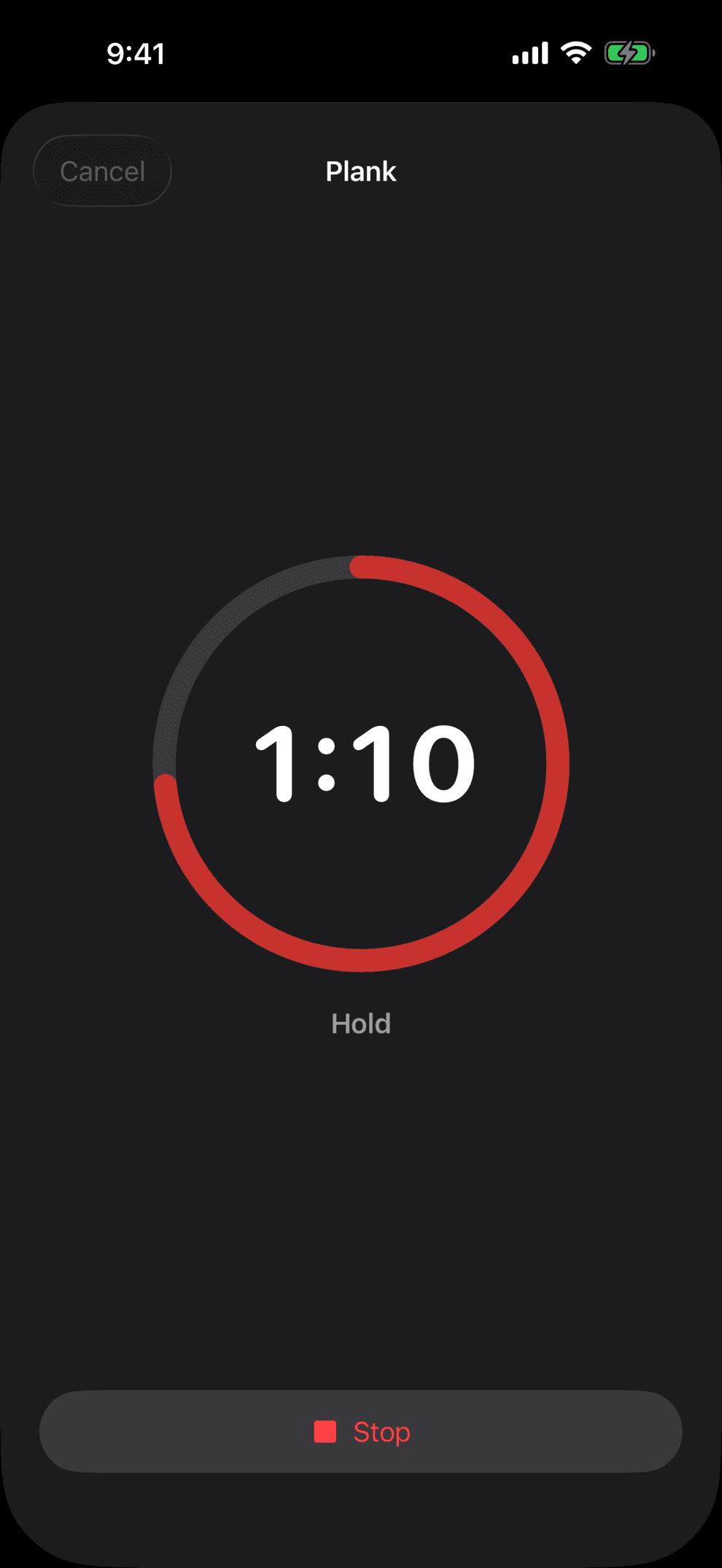
Climb in reps, or in seconds for planks and wall sits. A built-in timer counts you in, beeps through the last three seconds, and logs the hold for you.
Log in one tap
Do one pushup, tap the Home Screen ring, get back to your day. An optional daily reminder lists what is due and goes quiet once you're done.
Keep climbing past the goal
Aim for a number of workouts, reps in one day, a running total, or no end at all. Then set a bigger goal, hold your level in sustain mode, or restart at a target you choose.
Challenge your friends
Send one exercise or several as a link. Friends open it in their own RepLadder and start at the bottom of the same ladder. Only the plan travels, so your own numbers stay yours.
See it add up
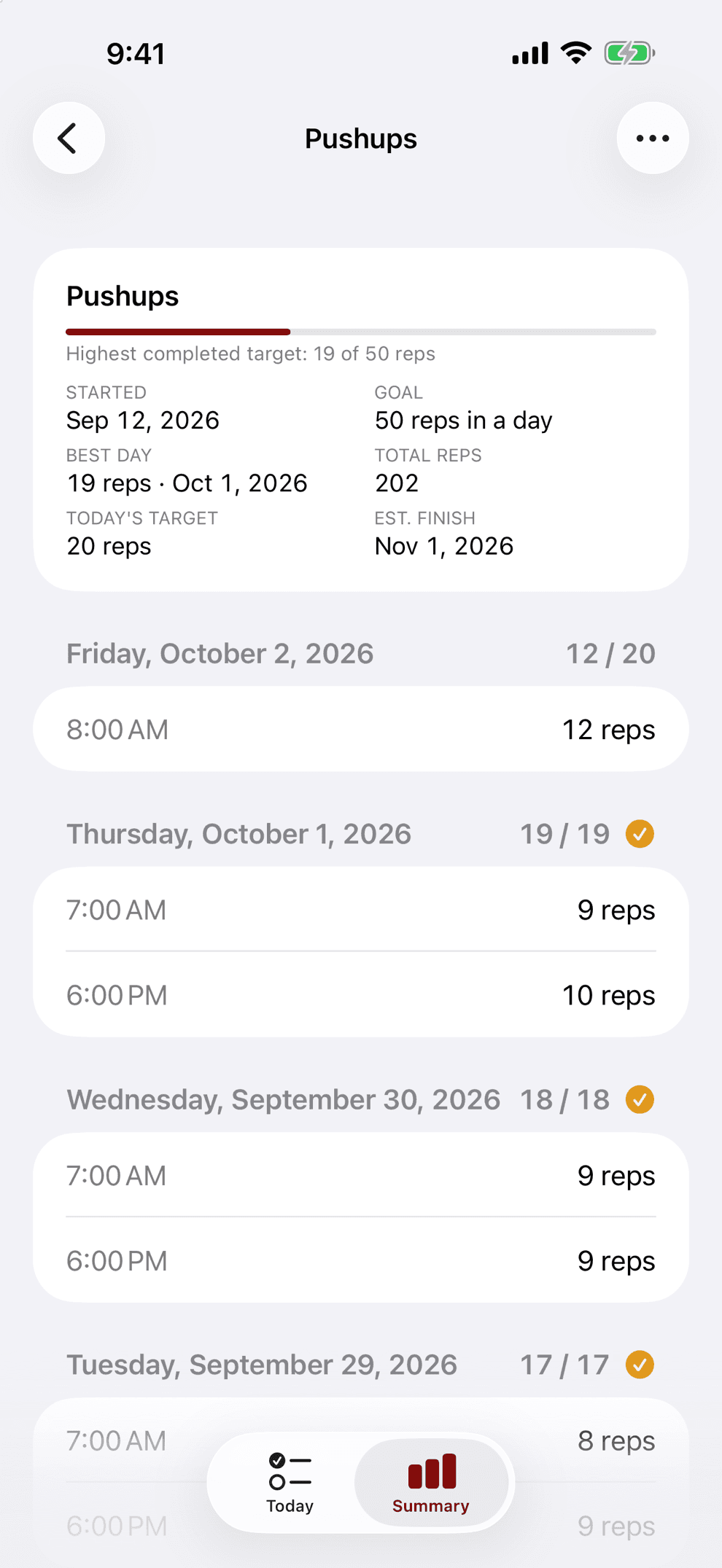
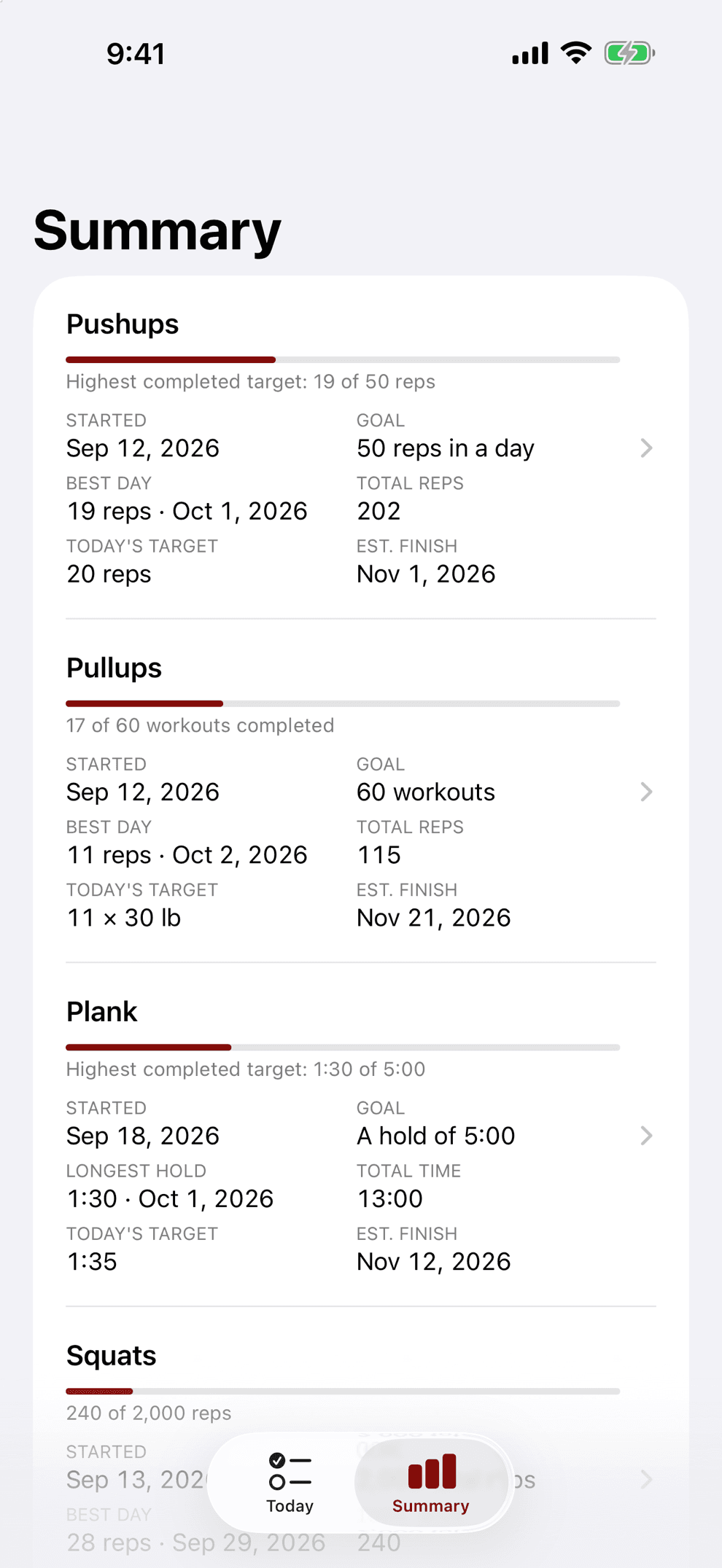
The Summary shows your best day, totals, today's target and an estimated finish date, with every day and set underneath. Optional added weight gets its own ladder.
A look inside
Easy to set up. Easy to log.
Privacy
Everything stays on your phone.
Your goals are your business. RepLadder has no account, no ads, no analytics, and no tracking, and it never connects to a server.
Your exercises and history live on your iPhone and ride along in your device backups.
From me
Who made this
I built RepLadder for my own training and kept it on my own phone. It is going to friends first, through TestFlight, and the group may grow. If you want to try it, email me.
Fred
Questions
Quick answers
Can I spread a day's reps out?
Yes. Do them in one go or in as many sets as you like, even one rep at a time. Every set you log adds to the day, and the day is complete when the total reaches the target. Timed exercises set to total time add up the same way.
What happens if I miss a day?
Nothing you've done is lost. Your target stays where it is, you pick up from there, and there are no makeup reps. A missed day only moves your finish date back by a day.
Can I work out on days that aren't on my schedule?
Yes. Any day you finish counts and moves the ladder up. The schedule decides what shows first and when reminders fire.
How big can my goal be?
Big. Choose a number of workouts, reps (or seconds) in a single day, a running total, or no end at all. The New Exercise screen shows your finish date before you begin, so you can set the step size and schedule that give the goal the time it needs.
Can I take on a challenge with friends?
Yes. Share one exercise or several as a link. Each friend starts at the bottom of the same ladder, and their ladder moves with their own workouts.
Can I change my plan once I've started?
Yes. Changes start today, and every day you've logged keeps its target. You can also restart at a target you choose and keep your history.
How do I get it?
RepLadder is in private testing. Email support@fredericbahnson.com for an invite and I'll send a TestFlight link.
Pick your big goal.
Start small, add a little with each workout, and watch the number you picked get closer.
Request an inviteiPhone, iOS 17 or later. Designed for Liquid Glass on iOS 26 and later. No account. In private testing.
iPhone is a trademark of Apple Inc., registered in the U.S. and other countries.